Free · Fast · Accurate

Morse Code Translator

Morse Code Translator turns text into dots and dashes as you type, and reads Morse code back as plain English. Hear it as a real radio tone, see the light flash, feel the buzz. Free, offline and private, whether you are sending an SOS, practising for amateur radio, or learning the alphabet chart one letter at a time.

Text
Text → Morse
Morse Code
Ready·
Signal Timeline ditdahsilence
0 chars 0 signals
0 characters supported
1200 /wpm milliseconds per dot
620 Hz CW radio tone
50 u time units in PARIS

Definition

What Is Morse Code?

Morse code is a character-encoding system that represents letters, numbers, punctuation and procedural signals as combinations of short and long signals: dots and dashes. Standardised pauses separate the signals, letters and words. Samuel Morse and Alfred Vail developed the early American system while building the electric telegraph from 1837, and both were publicly demonstrated in 1844.

Two forms are best known. American Morse, the earlier one, used variable dash lengths and internal gaps inside certain characters. International Morse grew from Friedrich Clemens Gerke's 1848 European revision, became an international telegraph alphabet in 1865, and is now defined for radiocommunication by the International Telecommunication Union (ITU) in Recommendation ITU-R M.1677-1, still in force.

  • 63 characters 26 letters, 10 numerals, 18 punctuation marks and symbols, and 9 accented forms. That is this translator's set, not the official ITU count, since some are widely used extensions or regional adaptations ITU-R M.1677-1 does not list individually.
  • Shorter patterns, commoner letters E is one dot, T one dash, Q four elements. A dash lasts three times a dot, and standard gaps separate a character's parts, one letter from the next and one word from the next.
  • Encoding, not encryption The mappings are public, so anyone with a Morse code chart can read a message. Encoding makes information transmissible; encryption stops unauthorised readers understanding it.

Anatomy of a signal I AM · ·· / ·− −−

I A M
  • Dot (dit) 1 unit of sound
  • Dash (dah) 3 units of sound
  • Element gap 1 unit of silence
  • Letter gap 3 units of silence
  • Word gap 7 units of silence

Silence carries meaning. A dash lasts three times as long as a dot, and the three gap lengths are what separate one element, letter and word from the next.

Step by step

How to Use the Morse Code Translator

To use the Morse code translator, type into one box and read the translation in the other. Six steps cover every function of the tool.

  1. 1

    Enter your text

    Type letters, numbers or punctuation in the left box.

  2. 2

    Paste Morse code

    Paste dots and dashes; the direction flips itself.

  3. 3

    Play the audio

    Hear the message as a CW radio tone.

  4. 4

    Light and vibration

    Flash the beacon and buzz the phone in sync.

  5. 5

    Adjust the sound

    Set speed, tone and volume to suit you.

  6. 6

    Copy or export

    Copy, share a link, or save a TXT file.

Features

Key Features of Our Morse Code Translator

This Morse code translator provides 9 features, which are encoding, decoding, audio playback, light playback, vibration output, sound configuration, copying, sharing and live counters. Each feature is shown below exactly as it appears in the tool.

1. Convert Text to Morse Code

The Morse code encoder converts letters, numerals and punctuation into International Morse Code as you type. Characters are separated by one space and words by a forward slash, so the output stays unambiguous when you copy it. The same Morse code generator drives the audio, light and vibration output.
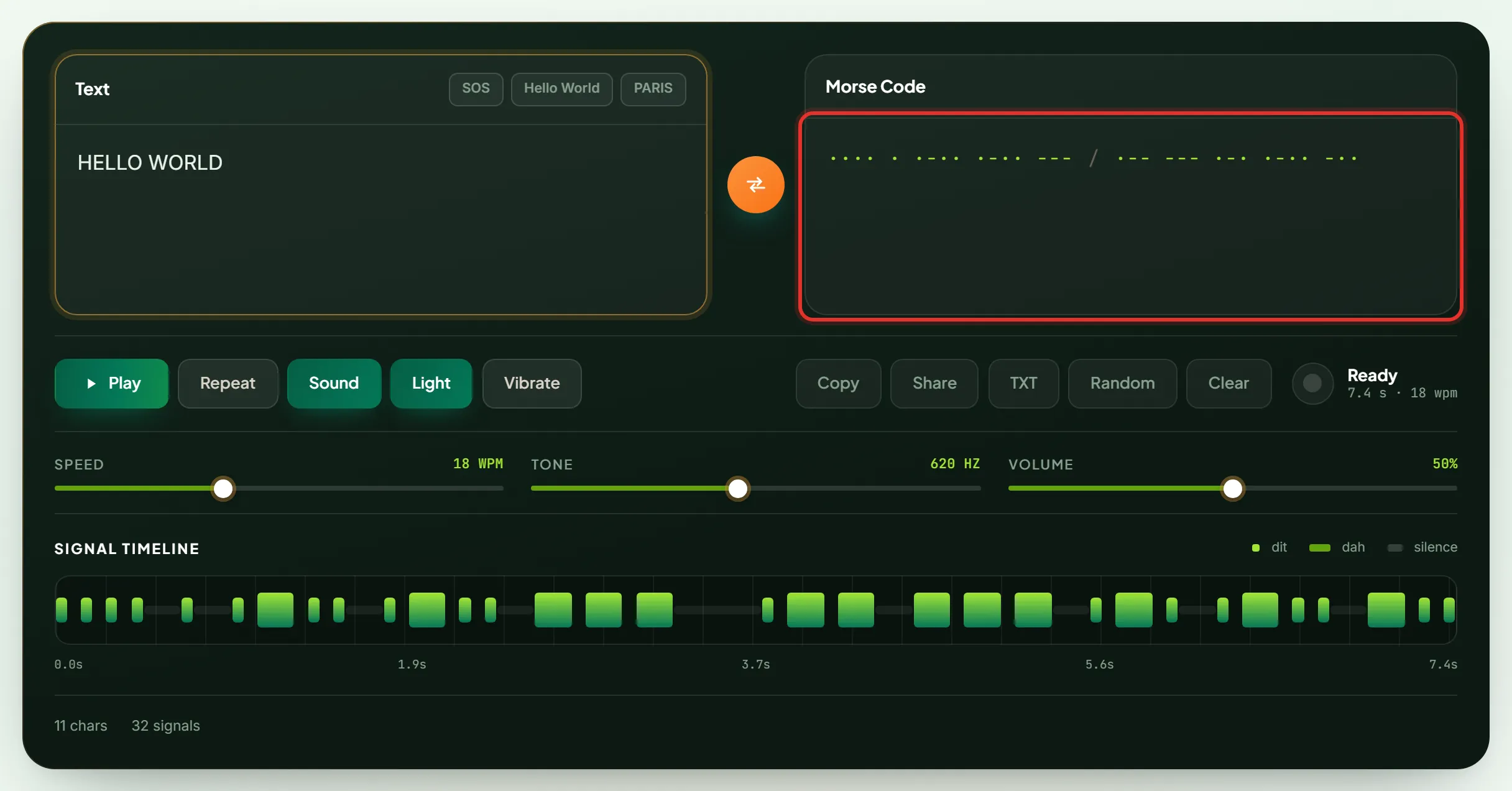
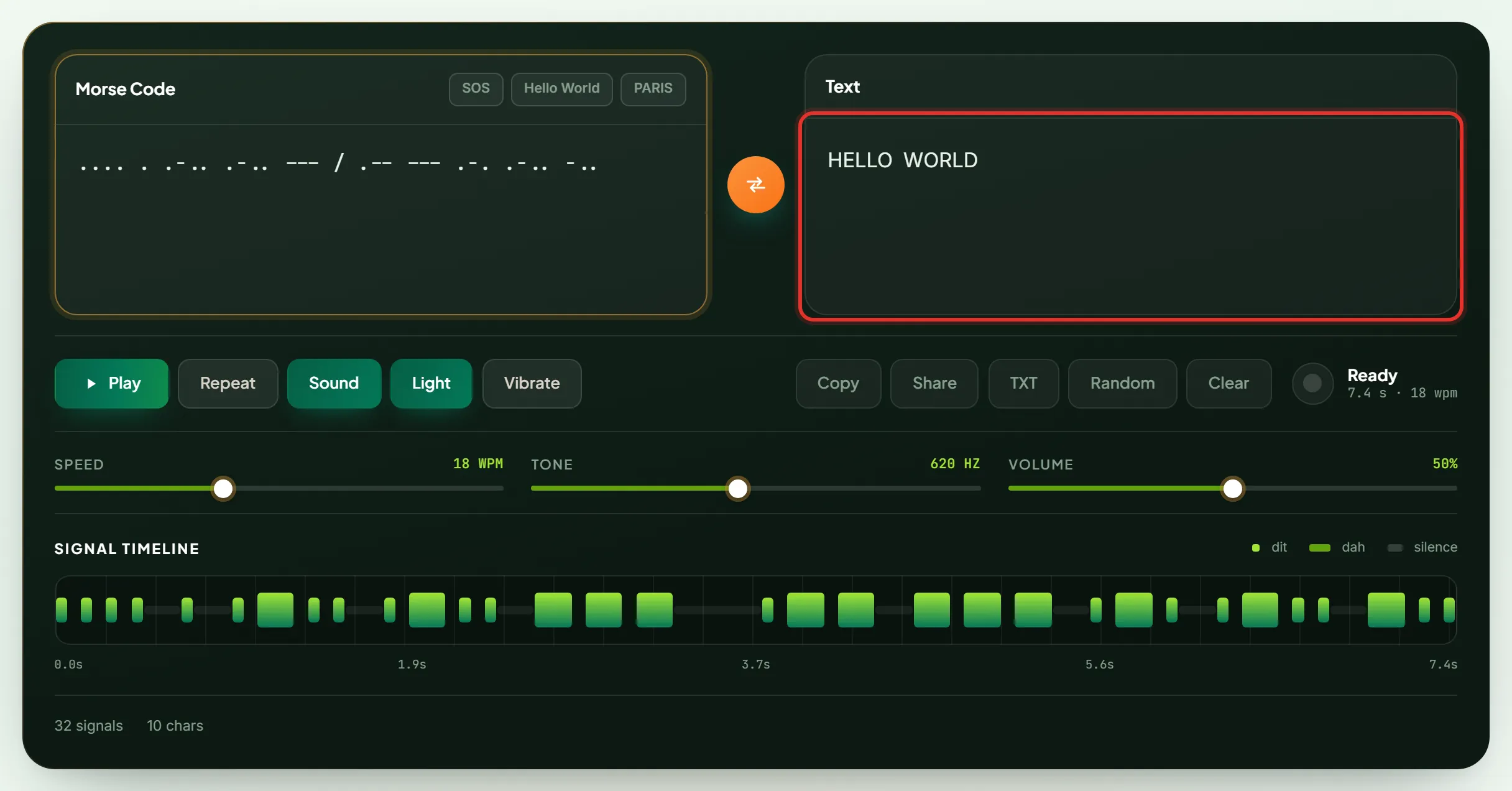
Morse code translator converting the text HELLO WORLD into International Morse code

2. Translate Morse Code to Text

Press the swap button and the Morse code decoder, also called a Morse code reader, turns dots and dashes back into English. The decoder accepts periods, hyphens, middots, underscores and en-dashes, and treats a slash, a pipe or three consecutive spaces as a word break.

Morse code translator decoding dots and dashes back into the text HELLO WORLD

3. Play Morse Code Audio

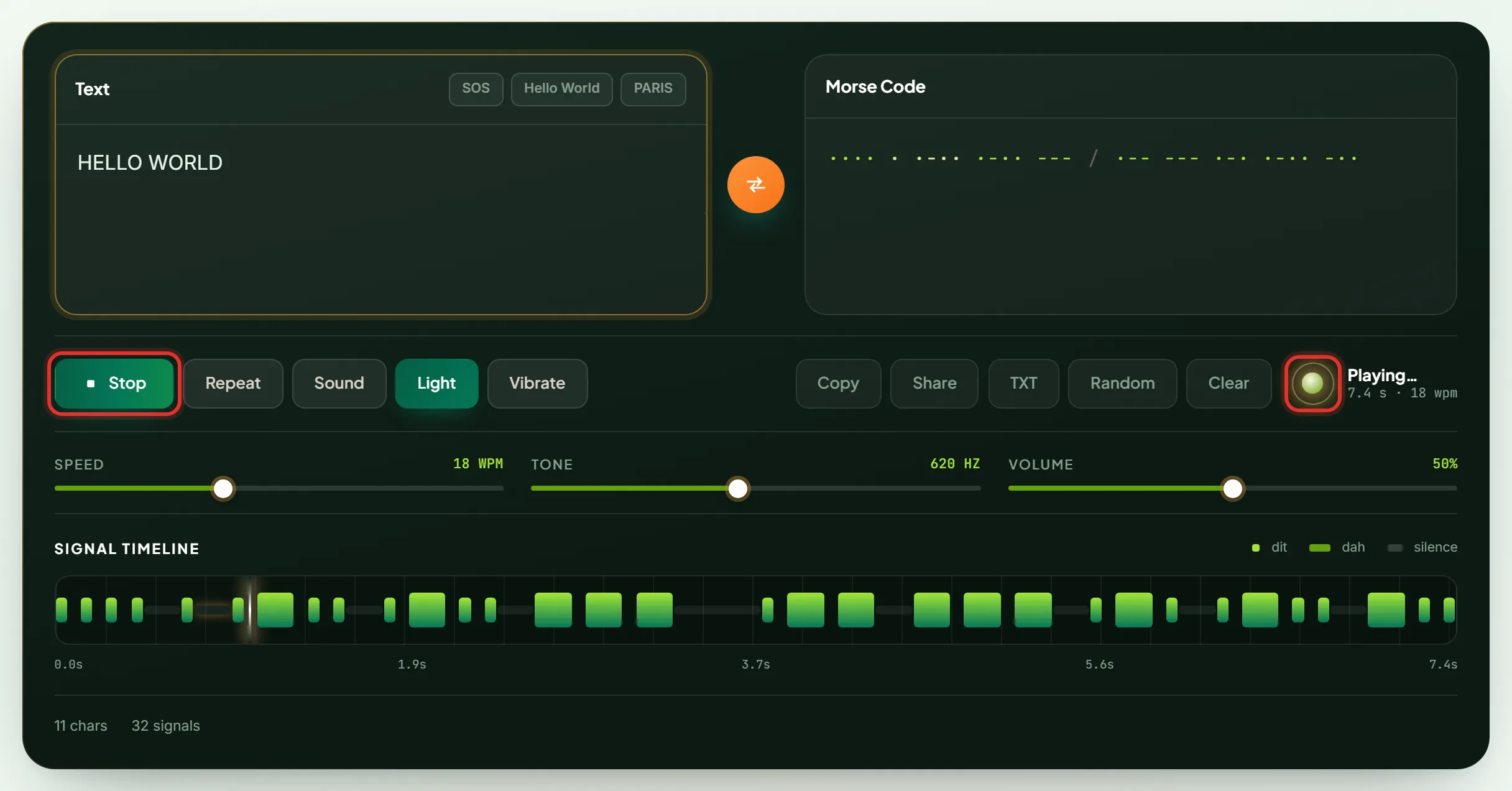
Press Play to hear the message as a Continuous Wave (CW) radio tone. A sine oscillator ramps each edge over 6 milliseconds (0.006 seconds), which removes the click a hard switch creates, and the signal timeline highlights the element currently on the air.

Morse code translator playing audio, with the Stop button active and the beacon lamp lit

4. Visual Light Playback

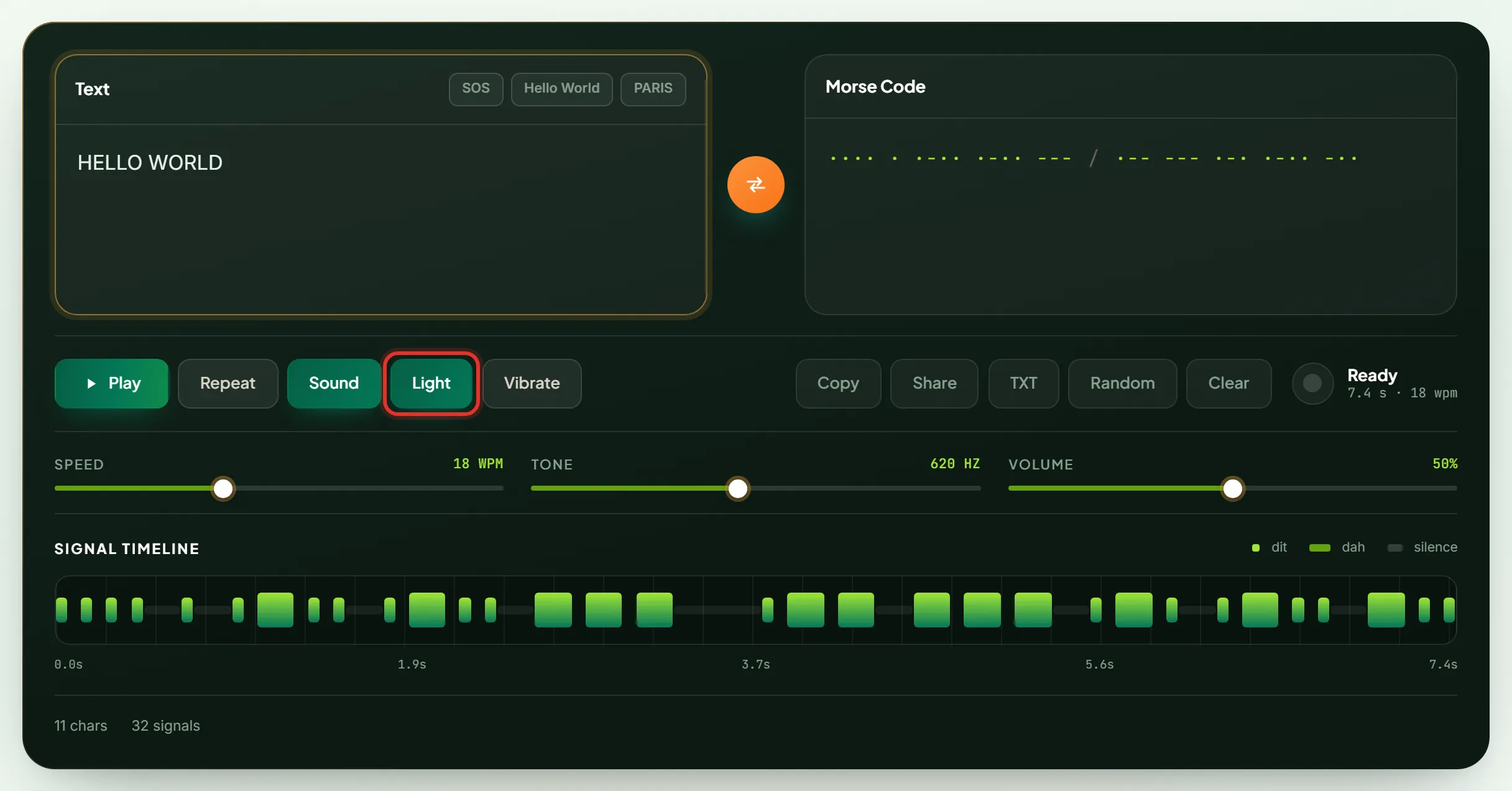
Turn on Light and the beacon flashes the same schedule that drives the audio. Light alone carries the whole message, which matches how a signal lamp works at sea and lets deaf users read the output.

Light button enabled on the Morse code translator for visual flash playback

5. Phone Vibration Output

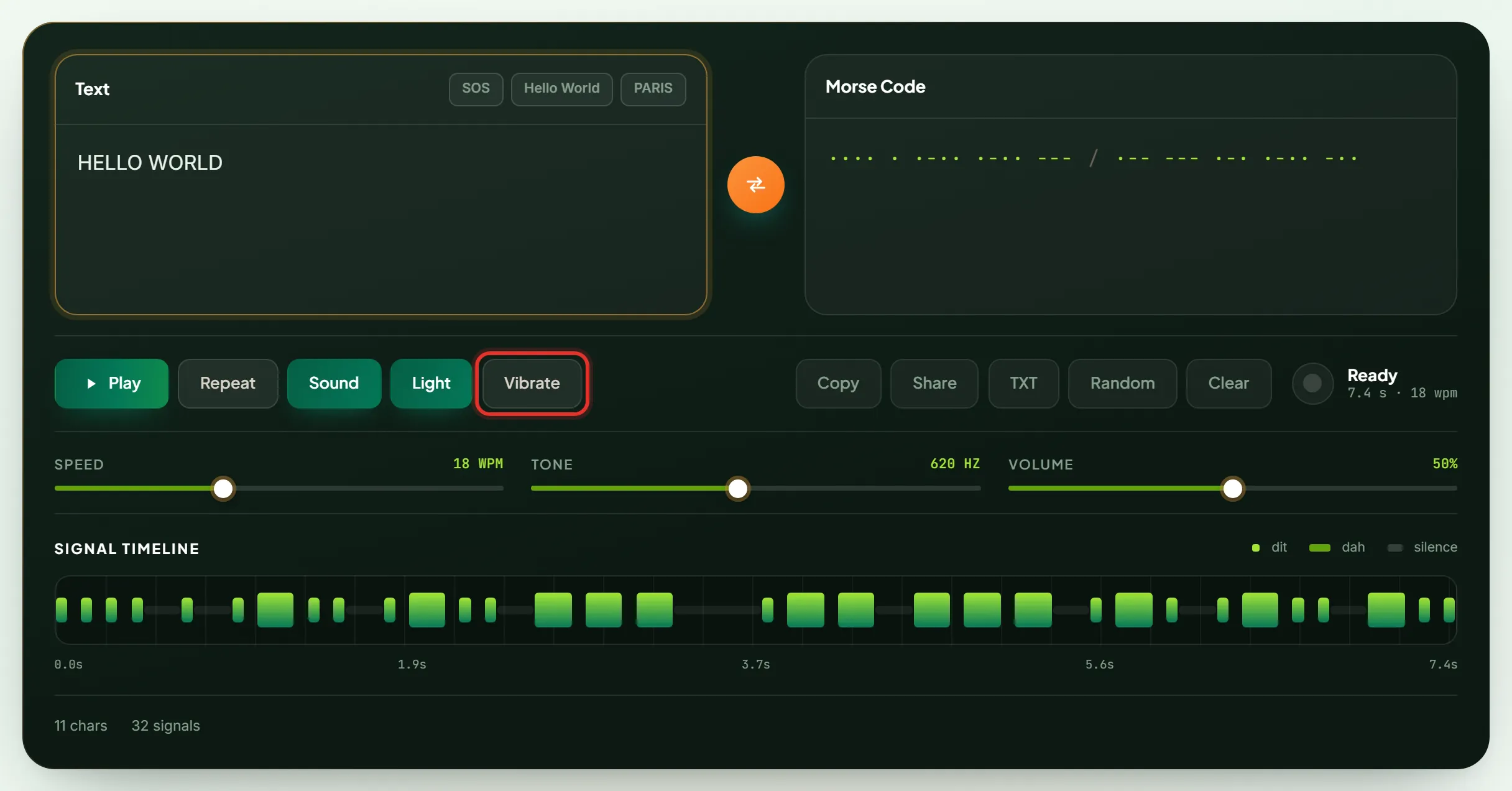
Turn on Vibrate and the phone reproduces every dot and dash through touch. Vibration output carries the message with no sound and no screen, which suits practice in public and deafblind use.

Vibrate button enabled on the Morse code translator for haptic output

6. Sound Configuration and Customization

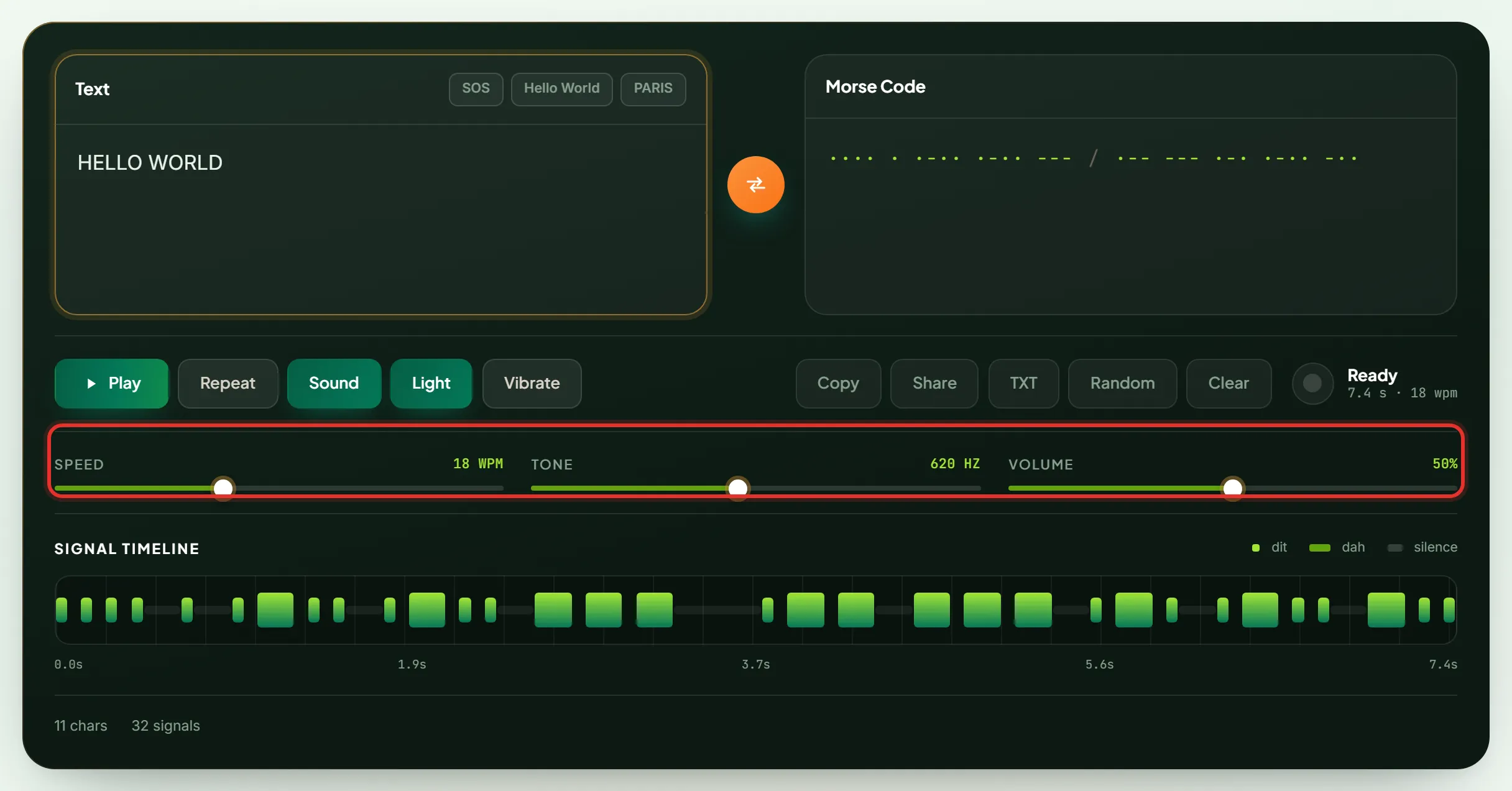
Three dials control the output. Character speed runs from 5 to 40 words per minute, tone frequency from 300 to 1000 hertz (Hz), and volume from 0 to 100 percent. A frequency of 550 to 620 Hz suits most listeners. Two sound characters exist in Morse: the Telegraph Sounder, the clicking relay used with American Morse, and the CW Radio Tone, the steady beep used on radio. This Morse code generator produces the CW Radio Tone.

Speed, tone and volume dials on the Morse code translator sound configuration

7. Copy and Share Instantly

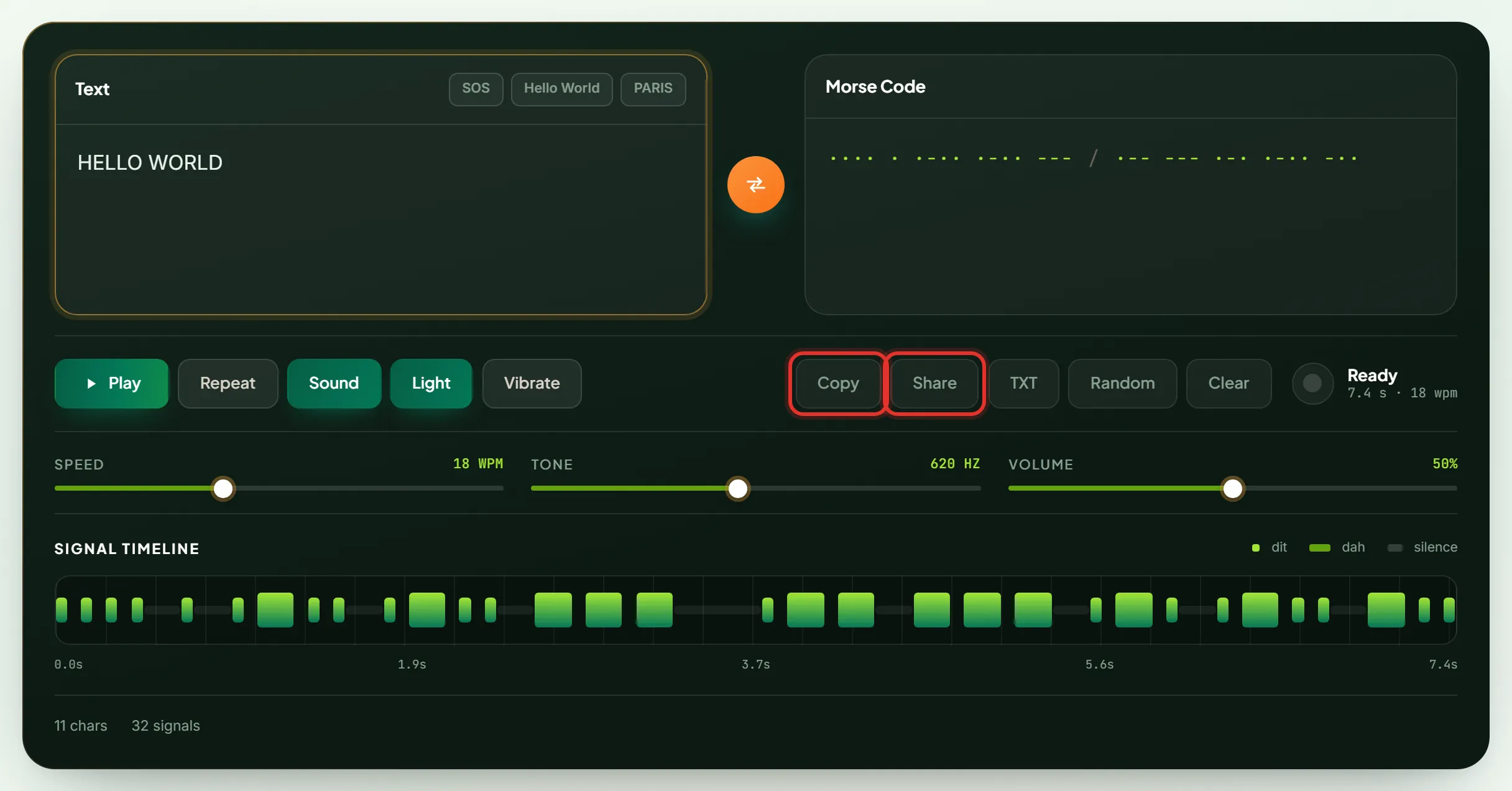
Copy places the result on the clipboard in one tap. Share builds a link with the message encoded into it, so whoever opens the link sees the same translation already loaded and ready to play.

Copy and Share buttons on the Morse code translator highlighted

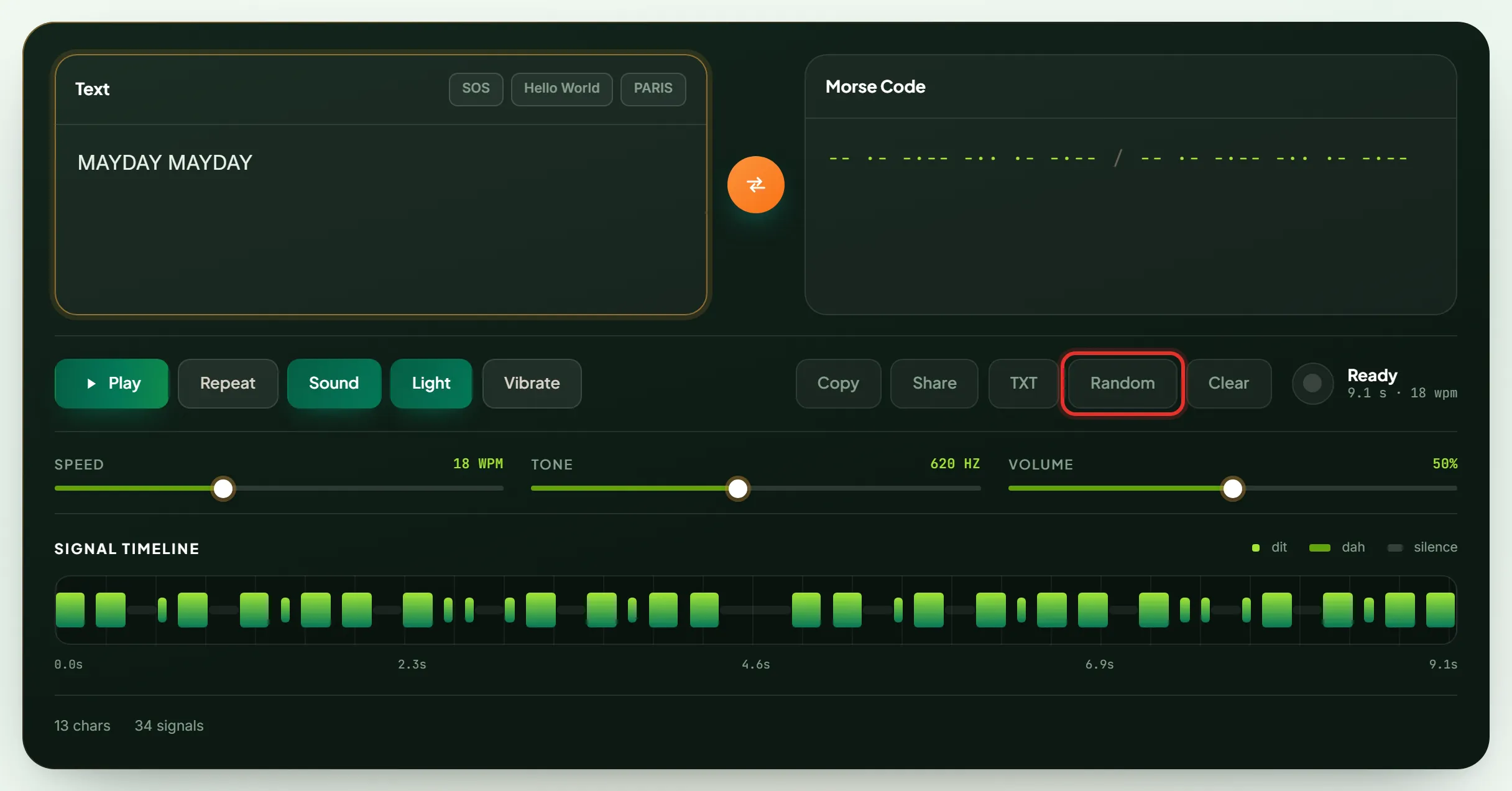
8. Generate Random Messages

Random loads a real phrase for practice, drawn from distress calls, greetings and operator sign-offs. Random messages remove the predictability of drilling the same word, which is what trains genuine decoding.

Random button on the Morse code translator loading a practice phrase

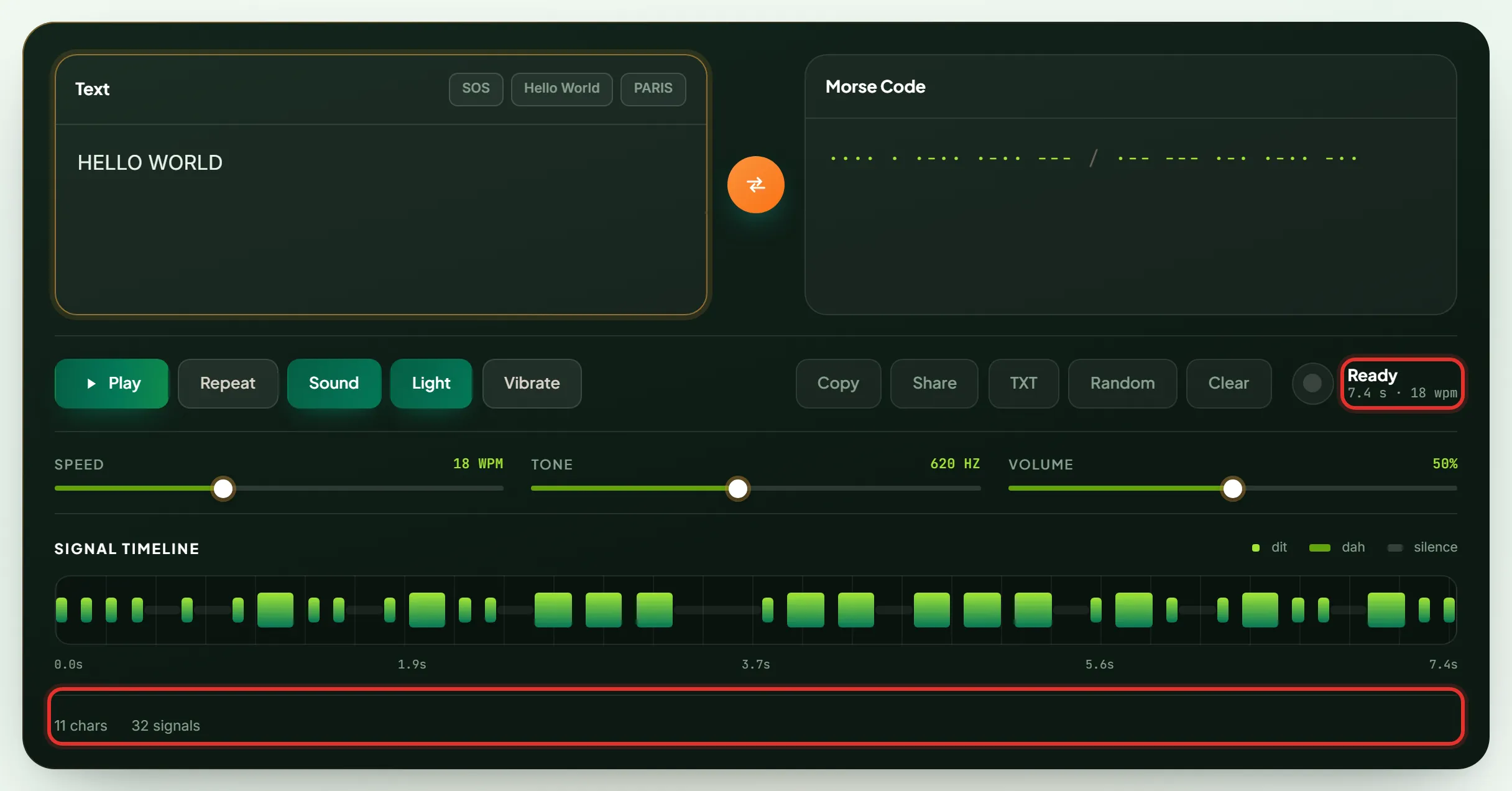
9. Real-Time Feedback and Counters

Character count, signal count and total transmission time update on every keystroke. Any character with no Morse equivalent is flagged under the input box rather than dropped silently, which prevents a message that looks complete but is not.

Character count, signal count and transmission time readouts on the Morse code translator

Reference chart

Morse Code Alphabet, Numbers & Symbols Chart

The Morse code chart below lists all 63 characters this translator supports. Hover a card to hear the character as a CW radio tone, or click it to add that character to your message.

Letters A–Z in Morse Code

The 26 letters run from 1 to 4 elements. E is the shortest at one dot, and J, Q, Y and Z are the longest at four elements.

MORSE CODE TRANSLATOR MORSE CODE ALPHABETS ABCDEFGHIJKLMNOPQRSTUVWXYZ
Morse code alphabet chart with all 26 letters, A to ZDownload chart

Numbers 0–9 in Morse Code

All 10 numerals are exactly 5 elements long. Digits 1 to 5 count dots then fill with dashes; digits 6 to 0 mirror that pattern with the symbols swapped.

MORSE CODE TRANSLATOR MORSE CODE NUMBERS 0123456789
Morse code numbers chart with the digits 0 to 9Download chart

Punctuation & Symbols

Punctuation marks run 5 to 7 elements, longer than any letter, so no punctuation mark is mistaken for a character at speed. The at sign (@) is the newest addition, standardised in 2004 for email addresses.

MORSE CODE SYMBOLS & SPECIAL SIGNALS PUNCTUATION .,?'!/()&:;=+-_"$@ ACCENTED FORMS ÀÄÅÇÉÈÑÖÜ PROSIGNS SOSARSKBTKNAS
Morse code symbols chart with punctuation, accented forms and prosignsDownload chart

Procedural signals

Special Signals & Prosigns (SOS, Error, Over)

A prosign is a procedural signal sent as one unbroken string with no letter gaps inside it. This translator recognises 9 prosigns, which are SOS, HH, K, KN, AR, SK, BT, AS and SN.

Morse code prosigns and their meanings
ProsignMorse codeMeaning
SOS ···−−−··· Distress. Send only in a real emergency.
HH (Error) ········ Mistake made. Stop, then resend the word.
K (Over) −·− Go ahead, anyone may reply.
KN (Over to you) −·−−· Go ahead, named station only.
AR (End of message) ·−·−· The message is finished.
SK (End of contact) ···−·− The contact is finished.
BT (Break) −···− New paragraph or section follows.
AS (Wait) ·−··· Stand by for 10 seconds.
SN (Understood) ···−· The message was received correctly.

Why SOS is 9 unbroken elements

SOS stands for nothing. The 1908 International Radiotelegraph Convention chose this pattern because the rhythm is unbroken and symmetrical, so no other pattern resembles it through interference. "Save Our Souls" and "Save Our Ship" are backronyms invented later. Written as three letters SOS would be three separate groups, but operators send the 9 elements with no letter gaps at all.

Copy and paste

Common Words & Phrases in Morse Code

The 18 phrases below are the ones people translate most often. Press the play button on any card to hear that phrase as a CW radio tone.

Q-codes operators send instead of words

A Q-code is a three-letter abbreviation beginning with Q that replaces a full sentence. Amateur radio operators use 4 Q-codes constantly: QTH means "my location is", QRZ means "who is calling me", QRM means "I have interference", and QSY means "change frequency". The numbers 73 and 88 close a contact, where 73 means "best regards" and 88 means "love and kisses".

Method

How to Read and Write Morse Code

Reading Morse code means cutting the stream at the gaps and looking up each group. Writing Morse code means replacing each character with its pattern and spacing the result correctly.

Reading (Decoding) Morse Code

To read Morse code, work left to right and cut the stream at every gap. A 1-unit gap continues the character, a 3-unit gap ends the character, and a 7-unit gap ends the word.

Read three dots, gap, three dashes, gap, three dots. Three dots is S, three dashes is O, three dots is S. The decoded text is SOS.

Never write dots and dashes on paper while decoding. Write the letter or write nothing. Transcribing symbols adds a second translation step under time pressure, which caps reading speed near 10 words per minute.

Writing (Encoding) Morse Code

To write Morse code, split the message into characters, replace each character with its pattern from the chart, then insert the correct silence between the patterns.

Encode HI as two steps. H is four dots and I is two dots, so HI is those two groups with a 3-unit gap between the two characters.

Spacing decides whether the message is readable. Correct characters with wrong gaps produce unreadable output, while slightly uneven characters with correct gaps stay readable.

Watch a word travel through the translator

The interactive diagram below runs a real word through all 8 stages of the Morse code translator. Type a word, press Run, and click any stage to inspect what that stage produced.

Compiled Elements ·
1u dit3u dah3u letter gap7u word gap

Standard

Morse Code Timing & Spacing Rules

Morse code timing follows 5 rules, and every rule is a multiple of one time unit. The dot length sets that unit, so the code sounds identical at 5 words per minute and 40 words per minute.

Morse code element durations in time units and milliseconds
Element Relative length Duration At 20 wpm State
Dot (dit) 1 unit 60 ms sound
Dash (dah) 3 units 180 ms sound
Gap inside a character 1 unit 60 ms silence
Gap between characters 3 units 180 ms silence
Gap between words 7 units 420 ms silence

The PARIS standard and the 1200 rule

Morse code speed is measured with the word PARIS, which is exactly 50 time units long including the word space that follows it. Sending PARIS 10 times in one minute equals 10 words per minute (wpm). That definition produces the formula every operator uses:

dot length in milliseconds = 1200 ÷ words per minute

A dot lasts 60 milliseconds (0.06 seconds) at 20 wpm, 100 milliseconds (0.1 seconds) at 12 wpm, and 30 milliseconds (0.03 seconds) at 40 wpm. Change the speed dial on this page and the signal timeline stretches or compresses while the proportions hold.

Farnsworth timing separates two speeds. Character speed stays high, near 18–20 wpm, while overall speed drops by lengthening the gaps between characters. Learners hear the correct rhythm from the first session and shorten the gaps as reading improves.

Accuracy

Tips for Accurate Morse Code Translation

Six habits produce accurate Morse code translation, which are checking spacing, avoiding lower case assumptions, handling unsupported characters, verifying prosigns, matching the code version, and testing the round trip.

Study plan

How to Learn Morse Code (Step by Step)

To learn Morse code, train your ear on whole character sounds rather than counting elements. Five steps take a beginner to reading real messages in about 30 days at 15 minutes per day.

  1. 1 Start with E and T

    E is one dot and T is one dash. Those two characters train the ear to separate short from long, which is the only skill that matters at the start. Add I, M, A and N once E and T are instant.

  2. 2 Use the Koch method

    The Koch method starts at full character speed with 2 characters and adds one more each time accuracy passes 90 percent. German psychologist Ludwig Koch developed the method in 1931, and it remains the fastest documented route to 20 wpm.

  3. 3 Apply Farnsworth timing

    Set character speed to 18–20 wpm and leave long gaps between characters. Practising at 5 wpm teaches element counting, which becomes a permanent speed ceiling.

  4. 4 Practise sending on a key

    Sending reinforces receiving. A telegraph key is the device that sends it, and 3 types exist: the straight key, the bug key and the iambic paddle. A straight key suits beginners because the operator controls every element length by hand.

  5. 5 Decode real messages daily

    Press Random on this page, close your eyes, and write what you hear before looking. Fifteen minutes daily beats two hours weekly, because ear training responds to repetition rather than session length.

Applications

Uses of Morse Code Today

Morse code serves 6 active uses today, which are amateur radio, aviation navigation, emergency signalling, assistive technology, education and puzzle design.

Amateur radio and CW

Continuous Wave (CW) remains one of the most power-efficient modes on the air. A CW signal occupies roughly 150 hertz (Hz) of bandwidth against 3000 Hz for voice, so contacts cross continents on 5 watts. The American Radio Relay League (ARRL) and the International Amateur Radio Union (IARU) both run active CW programmes.

Aviation and navigation beacons

Every VOR and non-directional beacon (NDB) identifies itself by repeating a 2 or 3 letter Morse code identifier. Pilots confirm the correct station by listening for that identifier before using the navigation signal.

Emergency and military signalling

Signal lamps send Morse code between ships under radio silence, and SOS remains the most recognised distress pattern worldwide. A torch, a mirror, a whistle or a wrench struck against a pipe transmits the pattern when no equipment survives.

Assistive communication

Morse code needs one binary input, so a single switch becomes a full keyboard. A puff tube, a blink sensor or one working finger drives text entry. Both iOS and Android ship Morse code input, and Google Creative Lab built Morse code into Gboard in 2018.

Education and coding practice

Morse code teaches encoding with a finite, audible mapping. Students build lookup tables, timing loops and signal processing without new vocabulary, which makes it a standard first exercise in computing courses.

Puzzles, games and escape rooms

Morse code hides in sound, light and vibration, and players solve it without special equipment. Escape room designers use flashing bulbs and buzzers, and many people meet dots and dashes there first.

Answers

Frequently Asked Questions

How do I use a Morse code translator?

To use a Morse code translator, type your message into the text box and read the dots and dashes that appear beside it. The translation runs on every keystroke, so no convert button exists. Press Play to hear the code as a CW radio tone, and use the speed, tone and volume dials to change how the output sounds.

How can I translate text to Morse code?

To translate text to Morse code, enter letters, numbers or punctuation in the left box and the Morse code encoder writes the International Morse Code beside it. Letters are separated by one space and words by a forward slash, which keeps the output unambiguous when you copy it.

How do I decode Morse code back to English?

To decode Morse code back to English, paste the dots and dashes into the translator and press the swap button so the Morse code decoder reads the input. The decoder accepts periods, hyphens, middots, underscores and en-dashes, and treats a slash, a pipe or three consecutive spaces as a word break.

What's the difference between International and American Morse code?

International Morse Code uses only two element lengths, while American Morse Code adds internal gaps and one extra-long dash. International Morse Code assigns 26 letters, 10 numerals and 18 punctuation marks with no internal spacing, which is why it survived radio. American Morse Code, also called railroad Morse, gives L a long dash and puts pauses inside C, O, R, Y and Z. This translator uses International Morse Code.

Is this Morse code translator free, and does it work offline?

Yes, this Morse code translator is free and works offline once the page has loaded. No account, trial or translation limit exists. Encoding, decoding, audio, light flashes and the alphabet chart run in your browser, so nothing you type reaches a server.

What are dots and dashes in Morse code?

Dots and dashes are the two signal lengths that build every Morse code character. A dot, spoken as dit, lasts 1 time unit. A dash, spoken as dah, lasts 3 time units. At 20 words per minute a dot runs 60 milliseconds (0.06 seconds) and a dash 180 milliseconds (0.18 seconds).

That is the whole tool: type text, get Morse code; paste Morse code, get text. Hear it, see it, feel it, free and offline, with nothing you type leaving your device. Scroll back up to send your first message, or work through the alphabet chart one letter at a time.

Open translator